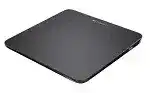
Two-finger scrolling may survive an operating system upgrade while edge swipes, three-finger actions, tap commands, and application switching stop responding. The Logitech Wireless Rechargeable Touchpad T650 Driver supplies the gesture layer that basic Windows detection cannot always reproduce. This rechargeable glass touchpad communicates through a Logitech Unifying receiver and originally targeted Windows 7, Windows 8, and Windows RT.
The T650 can appear as a normal pointing device even when its complete gesture profile has not loaded. Cursor movement alone therefore does not prove that the Logitech software is working. Test scrolling, tapping, physical clicking, zooming, edge gestures, and three-finger commands separately before changing several settings at once.
This model belongs to an older software generation. Logitech SetPoint handled its gesture configuration on supported Windows systems, while Logitech Unifying Software handled receiver pairing. Logi Bolt does not work with the T650, and Bluetooth pairing does not apply because this touchpad relies on a Unifying USB receiver.
Logitech Wireless Rechargeable Touchpad T650 Windows Driver Download
| Driver Name | Description | Supported OS | File Size | Download |
|---|---|---|---|---|
| SetPoint Software 64-bit | Full offline package for configuring touchpad settings, tracking speed, device-specific controls, and status information on 64-bit systems. | Windows 11, Windows 10 64-bit, Windows 8 64-bit, Windows 7 64-bit | 80.45 MB | |
| SetPoint Software 32-bit | Complete offline installer for adjusting touchpad behavior, pointer speed, device options, and supported notification settings on 32-bit systems. | Windows 10 32-bit, Windows 8 32-bit, Windows 7 32-bit | 78.04 MB | |
| SetPoint Smart Installer | Small web installer that requires an internet connection to download the appropriate SetPoint components during setup. | Windows 11, Windows 10 32-bit/64-bit, Windows 8 32-bit/64-bit, Windows 7 32-bit/64-bit | 4.61 MB | |
| Logitech Unifying Software | Utility for pairing, removing, and managing compatible Logitech devices connected through a Unifying USB receiver. | Windows 11, Windows 10 32-bit/64-bit | 3.96 MB |
Three-finger gestures open the wrong Windows feature
Windows 10 changed the way several navigation actions behave, so a gesture that switched applications under Windows 8 may open Start or perform another system command. Make sure SetPoint is running rather than relying only on Windows HID support. Restart SetPoint after signing in, then retest the gesture with three fingers placed clearly apart.
Some installations regain older gesture handling when SetPoint runs with Windows 7 compatibility settings. Apply compatibility mode only to the SetPoint program, not every Logitech installer on the computer. Reopen the utility afterward and check whether the configuration pages still work, since compatibility settings can occasionally affect access to its interface.
Scrolling works but tap-to-click does nothing
A working pointer and two-finger scroll can hide an incomplete SetPoint installation. Open the touchpad configuration and confirm that tapping has not been disabled. Apply the change, close the settings window, and restart the computer. If the option is missing entirely, remove the incomplete package before installing the T650-compatible SetPoint release again.
Remember that tapping and physical clicking are different actions. A light touch performs a software-controlled tap, while pressing the lower part of the pad activates the mechanical feet underneath. Testing both methods quickly shows whether the fault belongs to gesture configuration or the physical click mechanism.
Right-click appears on the wrong side
The two front rubber feet act as the click mechanism, and finger position determines whether the press becomes a left or right click. Pressing near the lower-right region should produce the secondary command. If every press becomes a left click, remove extra fingers from the surface and check the right-click options in SetPoint.
Palm contact can alter what the touchpad believes you intended. Place one finger near the lower-right corner and press firmly enough to move the front foot. Testing from the centre of the pad may not trigger the expected secondary action.
Restore the Unifying Connection Before Reinstalling Gesture Software
A lost wireless link makes every gesture and click fail at once. The Logitech Wireless Rechargeable Touchpad T650 Driver cannot reach the device when the receiver and touchpad are no longer paired. Check the receiver path first, especially after replacing the original dongle, moving the touchpad to another computer, or sharing one Unifying receiver with several Logitech products.
The pointer does not move after the receiver is inserted
Turn the touchpad off, wait several seconds, and switch it on again. Then move the Unifying receiver to another USB port. Connect it directly to the computer during testing rather than through a monitor, keyboard, docking station, or unpowered hub. The status light should react when the touchpad starts and when its battery needs attention.
Metal objects close to the touchpad or receiver can weaken the wireless path. Move external drives, metal stands, dense cable bundles, and other radio devices away for a brief test. A USB extension cable can place the receiver in a clearer position when the computer sits under a desk or behind a large display.
A replacement receiver is not recognized by the touchpad
A receiver that looks similar is not necessarily compatible. Use a genuine Logitech Unifying receiver marked with the orange Unifying symbol. A Logi Bolt receiver, an ordinary nano receiver, or a dongle from an unrelated wireless product cannot pair with the T650.
Open Logitech Unifying Software, choose the pairing process, and follow its request to switch the touchpad off and on. Keep another pointing device connected while pairing so you can complete the utility screens. Once the link succeeds, the receiver stores the pairing and does not need SetPoint merely to preserve that connection.
SetPoint sees the receiver but not the T650
Close SetPoint before running the Unifying pairing utility. Pair the touchpad first, confirm that the pointer moves, and then reopen SetPoint. This order separates a wireless-link failure from a gesture-profile failure. Reinstalling SetPoint repeatedly will not repair an unpaired receiver.
When several Logitech devices share one receiver, temporarily switch off the others during diagnosis. This does not remove their pairings. It simply makes it easier to confirm which device the utility detects and whether the T650 completes its power-cycle request.
Charging, Wake Response, and Intermittent Movement
The internal rechargeable battery removes disposable-cell checks, but age and long storage can still affect operation. A blinking red status light signals that the battery needs charging. Use the charging cable with a powered USB port, leave the touchpad switched on or follow the original charging arrangement, and allow enough time before judging whether the battery has recovered.
The touchpad works only while the charging cable is attached
Charge it from another known working USB port and inspect the cable ends for looseness or damage. A deeply discharged unit may not resume cordless operation immediately. After charging, disconnect the cable, turn the power switch off, wait briefly, and switch it on again.
If the touchpad shuts down as soon as the cable comes out after a full charging period, the internal battery may have deteriorated. Software cannot restore lost battery capacity. Stop using the unit if the case separates, the base rises, or the battery shows signs of swelling.
The pointer freezes after the computer wakes
First power-cycle the T650 rather than restarting the entire computer. If that does not restore movement, unplug and reconnect the Unifying receiver. Windows may retain the receiver entry after sleep while communication with the touchpad has stalled.
Try another direct USB port when the problem returns frequently. Also review Windows USB power-management behavior, particularly on laptops that suspend USB devices aggressively. Disable power saving only for the affected USB hub or receiver entry, then observe several sleep-and-wake cycles before keeping the change.
Movement becomes delayed or breaks into short jumps
Recharge the touchpad before treating lag as a software defect. Then clear the area around the receiver and test with the touchpad closer to it. Wireless congestion, metal furniture, and a receiver hidden behind the computer can produce delayed movement even though the Unifying connection never fully drops.
Clean the glass with a soft, lightly dampened lint-free cloth, then dry it completely. Moisture, skin oil, or residue can confuse finger tracking. Do not spray cleaner directly onto the surface or let liquid reach the gaps around the click feet.
Gesture Accuracy Depends on Finger Placement and SetPoint State
The large glass surface reads several fingers at once, which makes accidental contact more important than it would be on a conventional mouse. Resting a palm or unused finger on the pad can interrupt scrolling, zooming, and edge movements. Lift the whole hand during testing and perform each gesture from a neutral position.
Pinch zoom or two-finger scrolling stops midway
Place both fingertips fully on the glass before moving them. Keep their spacing consistent and avoid letting another finger brush the surface. If scrolling works in one program but not another, check that application’s own zoom and navigation behavior before changing the Logitech configuration.
SetPoint may also lose its gesture process after an update or a failed startup. Exit the utility, launch it again, and verify that the T650 appears in its device view. The Logitech Wireless Rechargeable Touchpad T650 Driver needs that background component for controls beyond basic pointer movement.
Edge swipes are difficult to trigger
Begin at the physical edge rather than placing a finger near it and then moving inward. Windows 8 relied heavily on edge gestures for charms and application navigation, while later Windows releases changed or removed some corresponding actions. A gesture may therefore register correctly without producing its original result.
Do not assume every Windows 8 command can be recreated on Windows 10 or Windows 11. SetPoint compatibility adjustments may recover several actions, but the T650 does not become a Windows Precision Touchpad. Current Windows touchpad settings may show fewer controls than the original Logitech software provided.
Middle-click does not register
The T650 uses a three-finger press for middle-click rather than a separate centre button. Place three fingers on the surface and press the front click mechanism. A three-finger tap may not produce the same result because the command combines touch recognition with a physical press.
Test middle-click in a program that clearly uses it, such as opening a browser link in a new tab. If ordinary physical clicking works but the three-finger press does not, check SetPoint and remove accidental palm contact. Failure in every program after software checks may indicate uneven pressure on the lower feet.
Choose the T650 Software by Function, Not by Age
Use SetPoint when you need the original gesture pages, touch controls, and click configuration on a compatible Windows release. Use Logitech Unifying Software when the touchpad needs pairing with a replacement or shared Unifying receiver. These programs perform different jobs, so installing one does not replace the other.
Older firmware tools may still appear in archived T650 downloads, but Logitech no longer maintains its Firmware Update Tool. Do not interrupt a firmware process, disconnect the receiver, or remove power while an update is running. Keep another mouse connected because the touchpad may become temporarily unavailable during detection.
A firmware update exists but the visible download list looks incomplete
Archived support pages may filter downloads by selected operating system. Review all available downloads and choose the exact Windows version before deciding that no suitable package exists. Avoid firmware files intended for another touchpad merely because the model names look close.
Firmware can address specific recognition or gesture faults, but it should not become the first response to dirt, an empty battery, a hidden receiver, or an unpaired device. Establish a steady wireless connection and charge the unit before attempting an update.
Logi Options+ does not display the touchpad
The current application may recommend Options+ for devices that it supports, but that general notice does not confirm T650 compatibility. This model was configured through SetPoint and later Logitech Options releases in its supported period. Do not remove a working legacy configuration solely because a newer application cannot list the device.
On a modern computer, basic movement and clicking may remain possible even when full gesture software no longer integrates cleanly. That is an operating-system compatibility limit, not evidence that the Unifying receiver has failed.
Keep the Glass Surface and Lower Click Feet Working Together
A good T650 installation combines four separate parts: adequate charge, a valid Unifying pairing, a responsive glass surface, and the software layer that interprets gestures. Check them in that order when several symptoms appear together. This approach avoids replacing the Logitech Wireless Rechargeable Touchpad T650 Driver when the actual fault sits in the battery or wireless path.
Finish by testing single-finger movement, two-finger scrolling, pinch zoom, left press, lower-right press, three-finger middle-click, and the navigation gestures your Windows version still understands. A failure limited to one motion usually points to placement or configuration. Total loss of movement calls for receiver, power, and pairing checks instead.
The T650 was built around Windows 8 navigation, so newer systems will not always reproduce every original action. SetPoint can recover important controls on some installations, but careful expectations matter. Keep the receiver direct, recharge when the light blinks red, avoid stray fingers on the glass, and preserve a working software version rather than replacing it with an unrelated Logitech package.