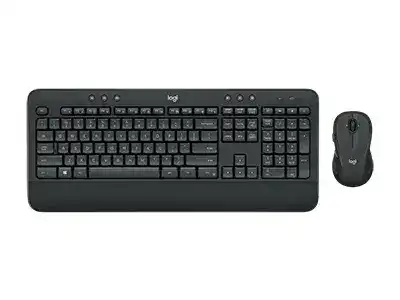
Here you will get the latest Logitech MK545 ADVANCED Wireless Keyboard and Mouse driver and software that support Windows and Mac OS.
Logitech MK545 ADVANCED Wireless Keyboard and Mouse Combo Windows Driver Download
| Driver Name | Description | Supported OS | File Size | Download |
|---|---|---|---|---|
| Logitech Options | Customizes device settings, shortcuts, button functions, pointer behavior, and other supported controls for the keyboard and mouse combo. | Windows 10 32-bit/64-bit, Windows 8 32-bit/64-bit, Windows 7 32-bit/64-bit | 187.71 MB | |
| Firmware Update Tool | Updates compatible Logitech device firmware on Windows 11 systems using the 64-bit updater package. | Windows 11 | 14.81 MB | |
| Firmware Update Tool | Provides firmware maintenance for supported Logitech hardware on 32-bit Windows 10 installations. | Windows 10 32-bit | 11.24 MB |
Logitech MK545 ADVANCED Wireless Keyboard and Mouse Combo Mac OS Driver Download
| Driver Name | Description | Supported OS | File Size | Download |
|---|---|---|---|---|
| Firmware Update Tool | Installs firmware updates for compatible Logitech devices on supported macOS releases. | macOS 12, macOS 11, macOS 10.15 | 26.53 MB |
2. Once the download is complete, locate the installation file in your Downloads folder and double-click it to launch the installer.
3. Follow the on-screen instructions to complete the installation process.
4. After installation, open Logitech Options and connect your MK545 combo using the Unifying receiver.
5. Customize your desired keyboard and mouse settings and enjoy enhanced productivity.
The Logitech MK545 is the ultimate choice for your workspace
The Logitech MK545 Advanced Wireless Keyboard Keyboard and Mouse Combo works impressively both at home and at work. The full-size keyboard has a palm rest and adjustable height legs for comfortable typing. It’s perfectly spillproof against accidental liquid spills, which makes it great for those at home or in busy workplaces. Complementing the keyboard is the high-precision mouse, which has its contoured shape and sleek, free-moving ability over most surfaces.
The keyboard features media control and quick keys for your convenience. Now, it’s possible to control volume adjustment, skip tracks, and launch a favorite application with just one touch. With quiet keys, typing becomes fun without bothering your colleagues or family. It has wireless flexibility up to 33 feet away to improve your workspace setup.
Ergonomically designed for both devices, they would guarantee all-day comfort while minimizing strain on wrists and arms. It uses an advanced optical tracking method and a scroll wheel that is tilt-supporting from side to side for smooth navigation of documents. The keyboard is also fully equipped with a number pad for efficient data entry operation, while its battery lasts up to 36 months.
Exclusive Features That Make It Advantageous
The Logitech MK545 is your plug-and-play-and-start-working keyboard. It comes with an included USB receiver, so within minutes, you are working. The keyboard is durable for everyday use and looks fresh enough for any desk setup. The eight programmable hotkeys function as instant access shortcuts for frequently used functions, adding an element of customizability that enhances the user experience. The ambidextrous design of the mouse enables comfort for both right and left-handed users alike.
Though it uses advanced wireless technology at 2.4 GHz, it ensures a stable connection without lag and interference. The adjustable tilt legs provide an ideal adjustment of three heights of typing angles. Each key is engineered for very high precision in its feedback and reliability over the life of the key. The mouse’s high-precision optical sensor will work on floor mats and glass tables.
The Logitech MK545 has a power management system with an on/off switch to save battery life during idle periods. The keyboard and its associated features are focused on providing the client with an awareness that is considered to be relevant by the user based on such points as an ongoing program that initially required switches as the determining function, corresponding application settings, and an ambush of programs designated by the predefined function key. The mouse includes ergonomic side grips for excellent control and comfort during prolonged use. This wireless combo proves productivity and comfort can coexist in one reliable package.