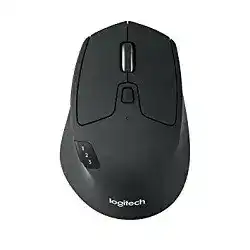
Logitech M720 Driver software gives this multi-device wireless mouse the control panel it needs for button actions, scrolling, gestures, and connection management. Windows can move the pointer with its built-in mouse support, but the Logitech utility adds the extra controls that many users expect from this model.
The M720 Triathlon works through Bluetooth Low Energy or the included Unifying 2.4 GHz USB receiver. It has Easy-Switch channels, forward and back buttons, a gesture button, a tilt wheel with middle click, and a hyper-fast scroll wheel. It also uses one replaceable AA battery, so power and pairing checks matter during setup.
Use the download package when you want to customize the buttons, repair receiver pairing, check battery status, or keep the mouse working properly after a Windows or macOS update. Linux and ChromeOS users can use the mouse for normal pointing, but advanced button mapping may need system tools instead of the Logitech app.
Logitech M720 Triathlon Windows Driver Download
| Driver Name | Description | Supported OS | File Size | Download |
|---|---|---|---|---|
| Logi Options+ Software Installer | Customize mouse buttons, pointer behavior, scrolling, shortcuts, gestures, and device settings. | Windows 11, Windows 10 32-bit/64-bit | 43.09 MB |
Logitech M720 Triathlon Mac OS Driver Download
| Driver Name | Description | Supported OS | File Size | Download |
|---|---|---|---|---|
| Logi Options+ Smart Installer | Installs Logi Options+ for managing button actions, scrolling, shortcuts, and supported mouse settings. | macOS 13 | 19 MB | |
| Logi Options+ Software | Supports device customization for mouse controls, pointer settings, scrolling behavior, and workflow shortcuts. | macOS 11 | 17.51 MB | |
| Logi Options+ Software | Lets users adjust button functions, gesture actions, pointer response, and application-specific mouse settings. | macOS 12.0 | 18.65 MB | |
| Logi Options+ Software | Provides mouse button mapping, scrolling control, shortcut setup, and device configuration for supported systems. | macOS 13, macOS 12, macOS 11, macOS 10.15 | 19.44 MB | |
| Logi Options+ Software | Enables customization of gestures, button shortcuts, pointer behavior, scrolling features, and device preferences. | macOS 26, macOS 15, macOS 14 | 19.44 MB |
Setting Up the M720 Software and Wireless Connection
Start with the connection type you plan to use every day. The Unifying receiver usually gives a steady connection on desktops, especially when the computer has weak Bluetooth. Bluetooth works well for laptops and tablets that need the USB port free. Before pairing, insert a good AA battery and switch the mouse on.
Pairing with the Unifying receiver
Plug the Unifying receiver directly into the computer, not into a long hub or monitor port during the first setup. Then select one Easy-Switch channel and hold the channel button for about three seconds until the light blinks quickly. Open the Logitech software and add the mouse to that receiver.
If the receiver already has other Logitech devices paired, use the add device option instead of removing everything first. However, if the receiver stopped working after several failed attempts, remove the old M720 entry and pair it again. A fresh pairing often fixes a pointer that moves sometimes but drops after sleep.
Installing the right Logitech utility
For current Windows and macOS systems, use Logi Options+ when it supports your download page and operating system. Older systems may still need Logitech Options or Unifying Software for receiver pairing. Avoid keeping several old Logitech utilities active together, because duplicate background services can break button assignments or stop the app from detecting the mouse.
After installation, restart the computer before changing button actions. Then open the utility and test the forward, back, gesture, middle click, and tilt wheel actions in a browser or file window. This simple test shows whether the software controls the device or only the basic pointer driver has loaded.
Keeping the signal stable
If the pointer jumps, pauses, or stops after a few minutes, move the receiver closer to the mouse. A front USB port or a short USB extension can work better than a rear desktop port because the metal computer case can weaken the signal. Also keep the receiver away from Wi-Fi routers, USB 3.0 drives, and crowded cable areas.
For Bluetooth setup, remove old failed M720 entries before pairing again. Turn Bluetooth off and on, then hold the Easy-Switch button until the selected channel blinks fast. Keep the mouse close to the computer during pairing. If one channel already belongs to another computer, choose a different Easy-Switch channel.
Fixes for Logitech M720 Download and Connection Problems
These problems come up most often when the software, receiver, Bluetooth stack, battery, or button mapping does not match the way this mouse stores its three device channels. Try the matching fix before replacing the mouse.
M720 does not appear in the Logitech software
When the pointer works but the software does not show the device, the computer may only see it as a basic mouse. Remove older Logitech apps first, especially if both Options and Options+ run together. Restart, install the matching package, and pair the mouse again through the same connection you use daily.
On macOS, also check Privacy and Security permissions. Give the Logitech utility access for Accessibility, Input Monitoring, and Bluetooth when the system asks. If the app still fails, remove the old permission entries, reopen the utility, and allow the prompts again.
Unifying receiver pairs once and then stops responding
A weak receiver signal can look like a bad driver. Plug the receiver straight into the computer, then try another USB port. If it sits at the back of a desktop, move it to the front or use a short extension. After that, pair the mouse again on the active Easy-Switch channel.
If the same receiver fails on one computer but works on another, the USB port or system driver may need attention. If it fails everywhere, use Bluetooth as a temporary connection and test with another Unifying receiver only if you can pair it through the Logitech utility.
Bluetooth pairing fails after a Windows update
Windows may keep a broken M720 entry after an update. Open Bluetooth settings, remove every old M720 or failed Logitech mouse entry, and turn Bluetooth off for a few seconds. Then turn it on again and put the mouse into pairing mode by holding the selected Easy-Switch channel.
Also check that Airplane mode stays off and the battery has enough power. If the laptop uses an older Bluetooth adapter and the connection keeps dropping, update the adapter driver. Some users solve repeated drops by using the Unifying receiver instead of the built-in Bluetooth radio.
Side buttons or gesture button do nothing
The forward, back, and gesture controls need the Logitech utility on Windows and macOS. Open the button settings and make sure the button still has an action assigned. Then test it in a browser, because back and forward actions show quickly there.
If the gesture button opens Task View or Mission Control when you do not want that action, change the assignment inside the Logitech app. On Linux, the same button may not behave like it does on Windows. In that case, check the desktop shortcut settings or use Linux button mapping tools.
Scroll wheel works slowly after sleep
Slow scrolling after resume often comes from the connection state, not from the wheel hardware. First, switch the mouse off and on. If you use the receiver, unplug it and plug it back in. Then cycle through the Easy-Switch channels until you return to the channel you use.
On Linux, this issue can appear after wake from sleep with high-resolution scrolling. Cycling the channels usually restores normal scroll speed for the session. If it repeats every day, test Bluetooth and receiver modes separately, because one connection path may behave better with your system.
Scroll wheel or side buttons stop on macOS
When normal pointing works but scrolling direction, side buttons, or gestures stop, macOS permissions often need a reset. Open the privacy settings and remove old Logitech entries under Accessibility, Input Monitoring, and Bluetooth. Then reopen the Logitech utility and approve the new prompts.
If the controls fail again after the app has been running for a long time, quit the Logitech background process and reopen the app. After a larger macOS update, download the current package again because older helper services may not load correctly.
Pointer lags, freezes, or skips across the screen
Lag usually points to distance, interference, or low battery. Replace the AA battery first, because a weak battery can still light the mouse but fail during movement. Check the battery direction and clean the metal contacts gently with a dry cloth if they look dusty.
Next, move the receiver closer and keep it away from other wireless devices. If Bluetooth lags, remove the pairing and add it again. Then test the mouse on another computer. A clean test separates a system issue from a worn device.
Mouse connects to the wrong computer
The M720 stores three Easy-Switch channels, so it can look broken when the wrong channel is active. Press the Easy-Switch button and watch the selected number. Choose the channel you paired with the current computer, then wait a moment for the connection to return.
If two computers fight for the same channel, remove the pairing from one device and pair it again on a separate channel. Keep one channel for each computer or tablet. This prevents random switching and makes Flow or manual switching easier to understand.
Single clicks turn into double clicks
First check the software side. Increase the double-click speed in the operating system settings and test the left button in a simple folder window. Also remove any app-specific button rule that changes left click behavior. If the issue disappears on another computer, the problem belongs to settings or software.
If the same button double-clicks on every computer, the switch may have wear or dust under the button. Clean around the button edges carefully and avoid spraying liquid into the mouse. When the problem continues, use warranty or repair service instead of forcing internal parts.
Buttons work in one app but not another
App-specific settings can make the M720 behave differently in browsers, file managers, office apps, or design tools. Open the Logitech utility and check whether a custom profile exists for that program. Remove the custom rule or assign the same action to the button in the affected app.
Also test with a basic browser tab and a file window. If the button works there, the mouse connection is fine. The remaining issue likely comes from application shortcuts, security permissions, or a conflicting tool that also captures mouse buttons.