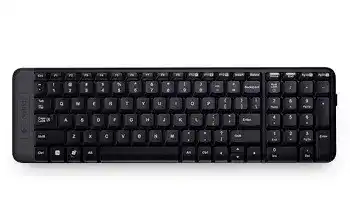
Here you will get the latest Logitech Wireless Keyboard K230 driver and software that support Windows Operating System.
Logitech Wireless Keyboard K230 Windows Driver Download
SetPoint
SetPoint lets you customizes your mouse buttons, keyboard F-keys and hot-keys, control tracking speed, and configure other device-specific settings. It can also notify that you of your device’s battery status, and whether Caps Lock and Num Lock are on.
Smart Installer – Faster setup time, installation starts while components are downloading. Internet connection required during installation. If you’re having trouble with the Smart Installer, try downloading the Full Installer package.
Supported OS: Windows 7 (32-bit ,64-bit) Windows 8 (32-bit ,64-bit) Windows 10 (32-bit ,64-bit)
Logitech Wireless Keyboard K230 SetPoint Smart Installer (4.61 MB)
Logitech Wireless Keyboard K230 SetPoint Smart Installer (4.61 MB)
Full Installer – Full-sized download, contains the files for all supported devices. Lets you install offline.
Logitech Wireless Keyboard K230 SetPoint full Installer for windows 32-bit (80.35 MB)
Logitech Wireless Keyboard K230 SetPoint full Installer for windows 64-bit (82.78 MB)
Wireless Keyboard K230 SetPoint full Installer for windows 32-bit (80.35 MB)
Logitech Wireless Keyboard K230 SetPoint full Installer for windows 64-bit (82.78 MB)
Logitech Firmware Update
This Logitech software upgrades the firmware for the Logitech Wireless Keyboard K230.
Supported Windows OS: Windows 11, Windows 10 (32-bit ,64-bit)
Logitech Wireless Keyboard K230 Firmware Update tool for Windows 64-bit (14.81 MB)
Logitech Wireless Keyboard K230 Firmware Update tool for Windows 32-bit (12.97 MB)
Windows 10 (32-bit ,64-bit)
Logitech Wireless Keyboard K230 Firmware Update tool for Windows 64-bit (11.27 MB)
Wireless Keyboard K230 Firmware Update tool for Windows 32-bit (9.88 MB)
Logitech Wireless Keyboard K230 Mac OS Driver Download
Supported Mac OS: macOS 10.15, macOS 10.14, macOS 10.13, macOS 10.12, Mac OS X 10.11, macOS 10.10, Mac OS X 10.9.x, Mac OS X 10.8.x
Logitech Wireless Keyboard K230 Firmware Update tool for Mac (26.48 MB)
Wireless Keyboard K230 Firmware Update tool for Mac (23.78 MB)
Logitech Wireless Keyboard K230 Firmware Update tool for Mac (18.68 MB)
Wireless Keyboard K230 Firmware Update tool for Mac (11.97 MB)
Logitech Wireless Keyboard K230 Unifying Software
Wireless Keyboard K230 Unifying software lets you manage your devices that use a Unifying receiver. You can add or remove devices using the software’s wizard or use advanced mode. Advanced mode also displays the status of your paired devices, battery level and firmware version.
Supported OS: Windows 11, Windows 10 (32-bit ,64-bit)
Logitech Wireless Keyboard K230 Unifying software for windows (3.95 MB)
Supported OS: Windows 8, Windows 7, Windows Vista, Windows XP (or older), Windows 10
Wireless Keyboard K230 Unifying software for windows (3.96 MB)
Logitech Unifying for Chrome
The Logitech Unifying app for Chrome lets you manage your devices that use a Unifying receiver.
Supported OS: Chrome OS
Logitech Wireless Keyboard K230 Unifying for Chrome (990 kB)
The Logitech K230 driver is essential for the seamless operation of this wireless keyboard. Designed with efficiency in mind, the driver supports various operating systems, including Windows 7, 8, 10, 11, Vista, and XP, as well as multiple versions of macOS, from 10.10 to 10.15. With a compact layout, the K230 keyboard delivers full-size functionality while occupying minimal desk space. Its built-in wireless technology ensures a reliable connection up to 10 meters away, providing the flexibility and freedom that users desire. Additionally, the driver enables advanced functionalities, such as customizable shortcuts and multimedia controls, enhancing productivity for both casual and professional use.
Download Logitech K230 Driver and Software Download Software
To start using your Logitech K230 keyboard effectively, ensure you have the appropriate driver installed. The installation process begins right after saving the installer on your computer. By completing the setup, you unlock the full potential of the keyboard, including features like multimedia shortcuts and customizable keys. The Logitech K230 driver is designed to optimize the user experience, enhancing not only functionality but also keyboard performance. You can now navigate to your computer’s saved files and prepare to set up your keyboard.
How to install Logitech K230 Driver and Software Download Keyboard Software on Windows and Mac OS?
Installing the Logitech K230 driver is a straightforward process that can enhance your keyboard’s capabilities significantly. Follow these steps to ensure a smooth installation:
- Locate the downloaded installer file: Navigate to the folder where you saved the installer (commonly the Downloads folder).
- Run the installer executable: Double-click the file to initiate the installation process.
- Follow the on-screen prompts: The installation wizard will guide you through each step.
- Accept the license agreement: Review and accept the terms to proceed.
- Complete installation: Once the installation is finished, restart your computer if prompted.
Following these steps will ensure the correct installation of the Logitech K230 driver for optimal use.
Installing Logitech K230 Driver and Software Download Software on Windows 11, 10…
For users on Windows operating systems, including Windows 11 and 10, the installation process for the Logitech K230 driver involves some simple yet essential steps.
- Open the downloaded file: Start by locating the driver installer on your device.
- Initiate installation: Double-click the filename to launch the installer.
- Go through the setup wizard: Follow the installation instructions provided.
- Allow necessary permissions: Windows may request administrative access to complete the installation.
- Post-installation check: Once the process is complete, test the keyboard functionality.
These instructions ensure compatibility and performance, allowing you to enjoy the full range of features.
Installing Logitech K230 Driver and Software Download Software on Mac OS
Installing the Logitech K230 driver on Mac OS is similarly straightforward. Whether you’re using macOS 10.10 through 10.15, the setup process can be completed with these steps:
- Locate the downloaded file: Check the Downloads folder for the installer.
- Open the installer: Double-click the file to begin the installation.
- Complete the installation wizard: Follow the prompts to guide your installation.
- Authorize necessary permissions: You may need to input your Mac administrator password to authorize the installation.
- Verify proper function: After installation, confirm that all keyboard functions are working correctly.
This process will ensure that you get the maximum performance from your Logitech K230 keyboard on your Mac.
Why choose our website for Logitech K230 Driver and Software Download Drivers Downloads?
Our platform is dedicated to providing comprehensive support for users of the Logitech K230 keyboard. By offering consistently updated software repositories, we ensure that users have access to the latest drivers necessary for optimal keyboard performance. Furthermore, our user-friendly interface simplifies the identification of different versions tailored to various operating systems, whether it’s Windows or macOS. Additionally, our technical sections feature troubleshooting guides and setup tips, assisting users in resolving common issues effectively. This level of commitment makes our website a reliable resource for Logitech K230 users.
Uninstalling the Logitech K230 Driver and Software Download Software
If you need to uninstall the Logitech K230 driver for troubleshooting or updates, follow these steps to ensure a proper removal:
- Open Control Panel (Windows) or System Preferences (Mac OS): Navigate to the appropriate settings menu on your operating system.
- Access the Programs section: In Windows, click on “Programs and Features.” For Mac, open “Applications.”
- Select the Logitech K230 driver: Locate and highlight the driver in the list of installed software.
- Click “Uninstall” or “Move to Trash”: Execute the removal process.
- Restart your computer: This ensures any residual files are cleared properly.
Completing these steps will effectively remove the driver from your system, allowing for a clean slate for reinstallation if needed.
Conclusion about Logitech K230 Driver and Software Download Driver
Users often face challenges when adapting their keyboards to specific applications or gaming environments where precise keystrokes are essential. To address common issues, here are some solutions worth considering:
- User Manual: Consult the user manual for specific keyboard features and shortcuts.
- Troubleshooting Guide: Use the troubleshooting guide for resolving common connectivity problems.
- Configuration Settings: A review of configuration settings can help optimize keyboard functions.
The compact design of the Logitech K230 keyboard allows for both portability and utility in various setups. To ensure continued satisfaction with your keyboard’s performance, periodically check the battery levels and clean the keys to avoid buildup that could impede function. Keeping the firmware updated can also prevent potential compatibility issues in the future.