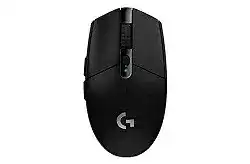
A pointer that pauses during a fast turn can make the receiver or sensor seem defective, yet the Logitech G304 LIGHTSPEED Wireless Gaming Mouse Driver is only one part of the connection. This model communicates through its dedicated LIGHTSPEED USB receiver and does not offer Bluetooth, Unifying, or Logi Bolt pairing.
The G304 uses a HERO optical sensor, six programmable buttons, selectable sensitivity, onboard memory, and one replaceable AA battery. G HUB provides access to these controls. Windows may still move the pointer without it, but profile switching, button assignments, report rate changes, and stored sensitivity values need compatible Logitech gaming software.
Logitech G304 LIGHTSPEED Wireless Gaming Mouse Windows Driver Download
| Driver Name | Description | Supported OS | File Size | Download |
|---|---|---|---|---|
| Logitech G HUB | Customizes button assignments, sensitivity levels, profiles, lighting settings, and other supported gaming mouse functions. | Windows 11, Windows 10 32-bit/64-bit | 67.08 MB | |
| Logitech Gaming Software 64-bit | Provides a complete 64-bit package for configuring mouse buttons, pointer sensitivity, profiles, and device-specific gaming settings offline. | Windows 11, Windows 10 64-bit | 119.96 MB | |
| Onboard Memory Manager | Manages compatible onboard profiles and saves button assignments and sensitivity settings directly to the mouse memory. | Windows 11, Windows 10 32-bit/64-bit | 12.45 MB |
Logitech G304 LIGHTSPEED Wireless Gaming Mouse Mac OS Driver Download
| Driver Name | Description | Supported OS | File Size | Download |
|---|---|---|---|---|
| Logitech G HUB | Adjusts supported mouse buttons, pointer behavior, sensitivity profiles, shortcuts, and device settings on current macOS releases. | macOS 26, macOS 15, macOS 14 | 11.36 MB | |
| Logitech G HUB | Controls programmable inputs, tracking sensitivity, profiles, and compatible gaming mouse preferences on macOS 13. | macOS 13 | 10.43 MB | |
| Logitech G HUB | Supports mouse profile management, button customization, sensitivity changes, and other available device controls on macOS 11. | macOS 11 | 5.02 MB | |
| Logitech Gaming Software | Configures gaming profiles, programmable controls, pointer sensitivity, and supported mouse functions on older macOS versions. | macOS 10.15, macOS 10.14, macOS 10.13, macOS 10.12 | 204.99 MB |
Movement breaks up when other USB devices are active
External drives, wireless adapters, and busy USB 3.0 equipment can disturb the receiver’s wireless path. Disconnect nearby USB accessories briefly and watch whether the pauses disappear. Use the supplied receiver extension cable to position the LIGHTSPEED receiver on the desk instead of leaving it between several plugs behind the computer.
Do not assume one particular USB standard will always work better. Computer layouts differ. Try separated ports, keep the receiver away from external drive cables, and test after each change. A direct connection provides a better diagnostic result than a shared hub, monitor port, keyboard socket, or KVM switch.
The pointer jumps even with the receiver nearby
Check the surface before altering every sensitivity value. Glossy desks, glass, deep patterns, and damaged mouse pads can produce irregular tracking. Wipe the sensor opening with a dry, soft cloth and test on plain paper or a conventional cloth pad. Avoid pushing tools into the sensor cavity.
Next, reduce the USB report rate in G HUB. A lower rate can lessen frame hitching on older processors, overloaded systems, remote desktops, or games that process mouse input poorly. When lowering the rate removes the stutter, update the game and background overlays before returning to a higher value.
The mouse stopped communicating with its receiver
Remove and reinsert the LIGHTSPEED receiver, switch the mouse off, and wait several seconds before powering it on again. Replace the AA battery when the power state remains uncertain. A battery may operate the indicator while failing under rapid wireless activity, especially near the end of its charge.
For a receiver that has genuinely lost pairing, open G HUB and locate its Device Pairing Tool. Select the detected LIGHTSPEED receiver and follow the power-cycle prompt. A standard Unifying receiver or Bolt receiver cannot replace the model-specific gaming receiver, even though each device uses a similar USB plug.
Clicks and Scrolling That Software Cannot Always Correct
Several G304 complaints begin as small mechanical symptoms rather than installation failures. A click may register twice, the wheel may reverse direction, or the middle button may stop responding. Confirm the behavior in more than one program before changing profiles, because one game or browser can interpret the same input differently.
One press creates two clicks
Open the operating system’s mouse controls and place double-click speed near its normal middle range. In G HUB, restore the primary button to a plain left-click assignment and remove any macro that repeats input. Then close G HUB and test again to separate a profile command from switch chatter.
Swap the left and right button functions temporarily. If the repeated input follows the physical left switch rather than the assigned command, software is unlikely to be responsible. Gentle air around the button gap may clear loose dust, but it will not permanently restore a worn switch. Use warranty service when the fault continues across computers.
The wheel briefly scrolls in the opposite direction
Reverse scrolling often starts when dust reaches the wheel encoder or the encoder begins wearing. Switch the mouse off and roll the wheel repeatedly while holding the device upside down. This may dislodge light debris without opening the shell. Follow with short bursts of dry air around the wheel opening.
Test long pages after turning the mouse upright. When one downward step still produces upward input, confirm the problem on another computer without G HUB running. Persistent direction changes point to the encoder rather than the Logitech G304 LIGHTSPEED Wireless Gaming Mouse Driver. Avoid liquid cleaners that can enter the switches or circuit board.
The middle click or side controls do nothing
Start with a new temporary G HUB profile and return the affected control to its default function. Test middle click on a browser tab and the two side buttons with ordinary back and forward commands. This reveals whether an application-specific profile replaced the expected assignments.
Some games ignore browser commands or reserve the middle button for another action. Assign a simple keyboard key to the same physical control and test it in a text field. When the key appears, the switch and G HUB assignment work; the original program needs its own in-game binding.
Recover G HUB Detection and Stored G304 Controls
Install the Logitech G304 LIGHTSPEED Wireless Gaming Mouse Driver through G HUB when the computer detects the receiver but shows no gaming controls. G HUB officially supports the G304/G305 family. Options+, SetPoint, and ordinary Windows mouse panels do not provide the same profile, report rate, onboard memory, or programmable-button interface.
G HUB displays an empty device screen
Connect the receiver directly, wait for Windows to finish identifying it, and launch G HUB afterward. If the page remains empty, move the receiver to another port and restart the computer. Testing on a second computer can quickly show whether the trouble belongs to the mouse and receiver or the original Windows installation.
When G HUB itself will not load correctly, close its window and end the remaining LGHUB processes through Task Manager. Start the application again with the receiver present. A damaged installation may require removal, a restart, and a new installation rather than repeated launches of the same broken background services.
DPI changes when a game opens
Automatic game detection can activate a separate profile with its own sensitivity stages. Open G HUB while the game is running and inspect the highlighted profile. Match its DPI values to the desktop profile, delete unwanted stages, or set one profile as persistent when the same sensitivity should remain active everywhere.
The top button normally cycles through configured DPI stages. Accidental presses can therefore feel like random sensor changes. Remove unused values so the cycle contains only practical choices, or assign that button another command. Keep at least one known sensitivity value before editing the rest.
Onboard memory does not keep the selected profile
The G304 has one onboard memory profile. Complete the assignments in software mode first, open the device settings, enable onboard memory, and copy the intended profile into the available slot. Test it by closing G HUB rather than assuming the save completed because the profile name appeared.
Software-dependent commands may not behave identically in onboard mode. Application detection and complicated actions can require G HUB to remain active. For portable use, store essential DPI values and straightforward button functions. Keep advanced commands in a software profile on the main computer.
G HUB updates and the assignments disappear
An update can expose an incomplete profile, change which application path activates it, or leave G HUB services in a poor state. Check whether the desktop profile or a game profile is currently active before rebuilding everything. Also confirm that onboard memory has not been enabled accidentally, because software edits remain unavailable while that mode is active.
Save or duplicate a working profile before major G HUB changes when the installed version offers that option. Record important DPI and report rate values separately. This small reference makes recovery faster than guessing each value after reinstalling or creating a replacement profile.
Power Behaviour, Weight, and Wake Problems
The G304 draws power from one AA battery and provides two operating modes through G HUB: a performance-oriented mode and an endurance-oriented mode. Battery life changes with report rate, usage, battery quality, storage conditions, and how often the mouse wakes. A displayed percentage should be treated as an estimate rather than a laboratory measurement.
The device will not power on with a new battery
Open the top cover and check the polarity marks inside the compartment. Remove the AA cell, inspect both contacts, and wipe dry residue with a clean cloth. Refit the battery firmly and operate the power switch several times. Test another known working alkaline battery before concluding that the receiver has failed.
Do not place loose foil, metal pieces, or an improvised battery adapter inside the compartment. They can shift, short the contacts, or damage the housing. The product is built for a single AA battery, so use the documented battery type when diagnosing power trouble.
Battery life drops much faster than expected
Open G HUB and check whether the device runs in the performance mode with a high report rate. That combination favors responsiveness rather than maximum battery duration. Endurance mode reduces communication activity for longer service, although it may not feel suitable for every fast game.
Turn the power switch off before placing the mouse in a travel bag, where movement can keep waking it. Battery age also matters. Rechargeable AA cells often have different voltage and capacity characteristics from disposable alkaline cells, so the displayed level may fall unevenly even when the device continues operating.
The pointer takes too long to return after sleep
Replace a nearly depleted battery first. Then connect the receiver without a hub and test another port. Windows USB power management can sometimes interrupt receiver wake behaviour, especially through hubs or monitor sockets. A direct motherboard or laptop port provides a clearer test of the mouse’s own sleep response.
Move the mouse firmly or press a button once after a long idle period. If reconnection repeatedly requires removing the receiver, test the complete mouse-and-receiver pair on another computer. Similar delays on both systems suggest a receiver, power switch, or internal hardware fault rather than an operating-system setting.
When a G304 Fault Remains After Every Profile Reset
Keep the Logitech G304 LIGHTSPEED Wireless Gaming Mouse Driver focused on tasks software can actually change: receiver recognition, sensitivity, report rate, programmable controls, and the onboard profile. It cannot repair an encoder that sends reversed wheel steps, a switch that produces duplicate clicks, damaged battery contacts, or an unstable physical receiver.
Before requesting service, repeat the failing action with G HUB closed, use a direct USB port, fit a known working AA battery, and test on another computer. Preserve the original LIGHTSPEED receiver because replacements require compatibility and pairing. These checks produce a clear distinction between a damaged profile, a computer-side problem, and hardware that needs warranty attention.